CSV-1009 Quick Install Guide
DisplayPort ™ 1.4 2-in-1 Bi-Directional Switch (8K)

CSV‑1009 – Quick Install Guide
DisplayPort™ 1.4 Bi‑Directional Switch (8K)
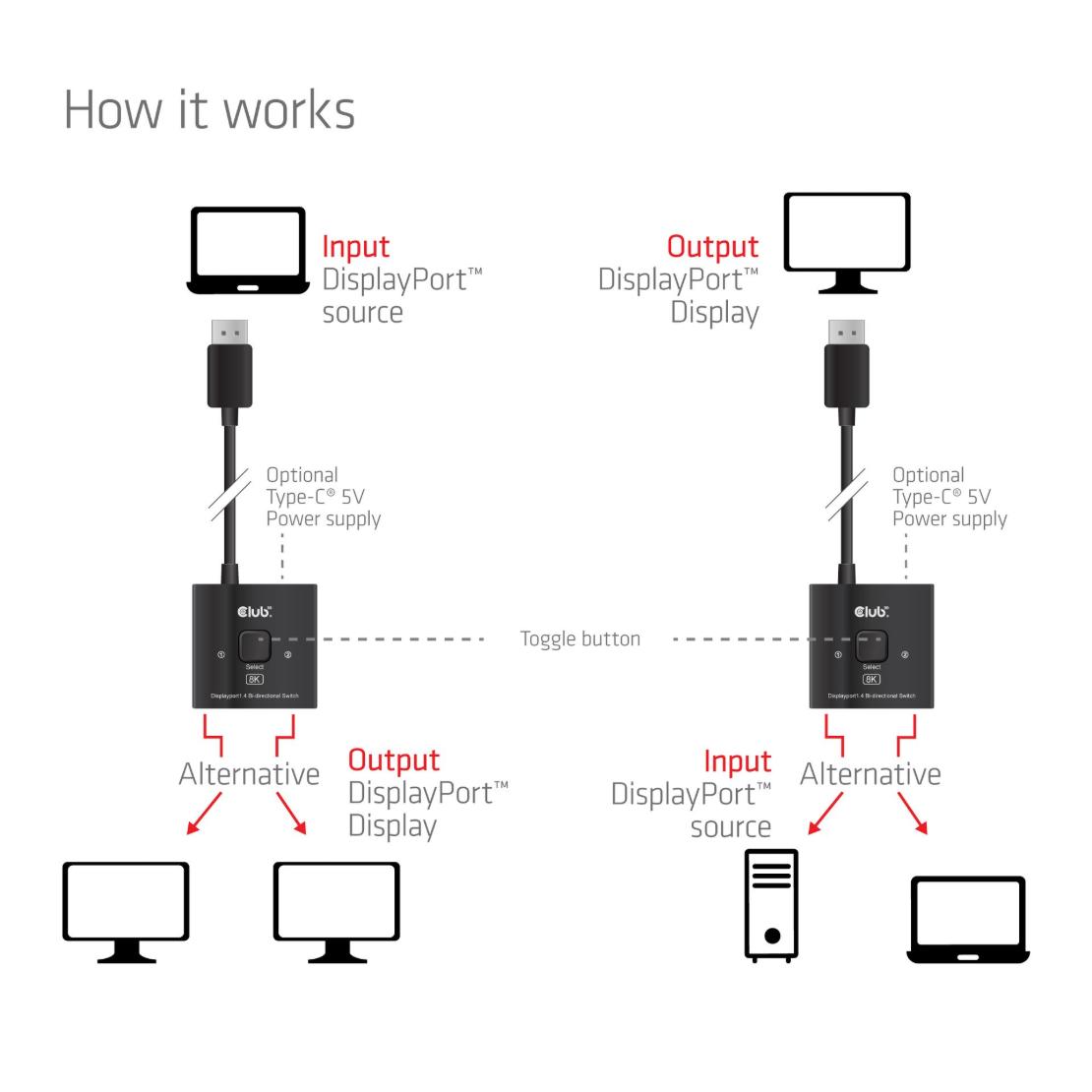
Switch one DisplayPort™ monitor between two systems — or switch one system between two displays — using a single button. No software or drivers required.
Package Contents
Please verify that all items are included and undamaged:
- 1× CSV‑1009 DisplayPort™ 1.4 2‑in‑1 Bi‑Directional Switch (8K)
If any item is missing or damaged, contact your supplier before installation.
Connection Procedure
Choose Your Setup
Before connecting the product, determine which configuration you need.
Option A – Two Sources → One Display
Use this option if you want to share one monitor between two systems.
Typical use case:
Work laptop ↔ Home PC → One monitor
Option B – One Source → Two Displays
Use this option if you want to switch one system between two displays.
Typical use case:
PC ↔ Monitor or TV
Only one source or one display can be active at a time.
LED Indicator
Blue LED ON → Active port
Only one port can be active at any time
Power Information
The CSV‑1009 is normally powered directly via the connected DisplayPort™ device.
If you experience:
No signal
Unstable switching
Display flickering
Connect an external USB‑C® power cable to the USB‑C® female port on the device.
External power improves compatibility with low‑power source devices.
Cable Recommendations
To ensure optimal performance:
- Use DisplayPort™ 1.4 or higher specification cables
- Recommended maximum cable length for DP™ female ports: 2 meters
Lower‑quality or longer cables may reduce resolution or refresh rate.
Common Questions
Can both displays or sources be active at the same time?
No. The switch supports one active connection at a time.
Is this switch automatic?
No. Switching is manual using the toggle button.
Does this product require drivers or software?
No. The CSV‑1009 is plug‑and‑play.